Excel to PDF: cell borders at the bottom of the page missing

Home › Forums › General › Excel to PDF: cell borders at the bottom of the page missing

Viewing 2 posts - 1 through 2 (of 2 total)
  • Author
    Posts
  • #63721
    pcinacio
    Participant

    Good afternoon.
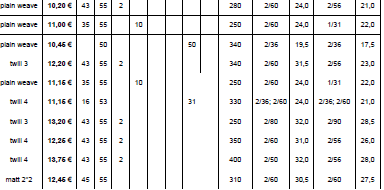
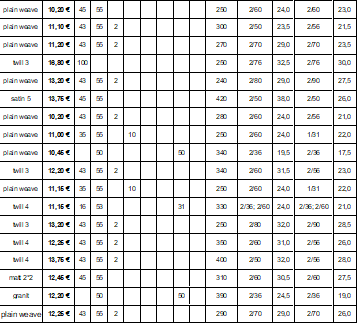
    After creating a PDF from an Excel file, I notice that the border lines of the cells at the bottom of the first page do not appear in the PDF. I can see them in the preview, but not on the final doc.

    What can we do to improve this?

    Thanks.

    Regards,

    PI

    #65364
    PDF24 Support
    Moderator

    Hello,

    thank you for the screenshots. In the PDF, the bottom border of the last row on page 1 is missing, while the other borders are there. To find out where it gets lost, please tell us how you created the PDF:

    and which PDF24 version you use. If you have only used one of these ways, it is worth trying another one in the meantime.

    So that we can reproduce this, please send us a file where it happens with this button:

    If possible, send both the Excel file and the PDF.

Viewing 2 posts - 1 through 2 (of 2 total)
  • You must be logged in to reply to this topic.