Compress PDF is one of our most popular tools, and we have made it even smarter.
The result is never larger
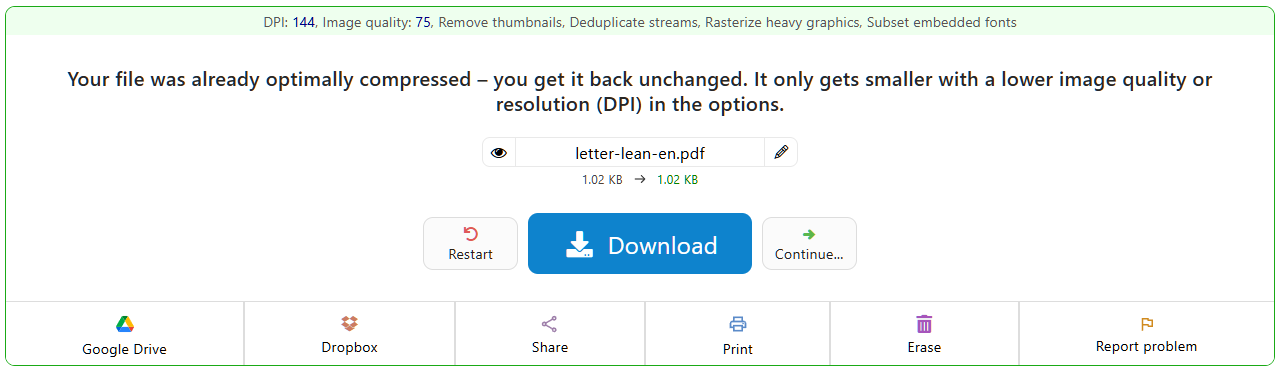
Some PDFs are packed so well already that there is nothing left to gain. In the past the result could even be a few bytes larger than the original. Not any more: if the file doesn't get smaller, you get your original back unchanged, together with a note that the file was already optimally compressed. If it still has to get smaller, a lower image quality or resolution (DPI) in the options will help.
Removing invisible ballast
Programs such as Adobe Photoshop and Illustrator like to store a complete editing copy invisibly inside the PDF. No PDF viewer shows it, but it can bloat the file by megabytes. PDF24 now removes this data automatically when compressing. PDFs from graphics programs in particular often shrink to a fraction of their size, without any change to how they look.
Clearer options
The option that removes the bookmarks from the file is now called just that: “Remove bookmarks”. It used to say the less obvious “Strip outline”, and some languages even had a wrong translation.
Reliable with large files
Huge plans, catalogues with hundreds of images, or files with unusually built pages: many cases in which compressing used to stop now run through cleanly.
Try it: Compress PDF, free and without sign-up.