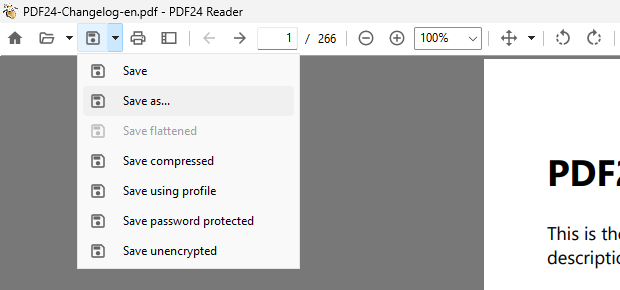
In PDF24 Reader, "Save" (button or Ctrl+S) now writes your changes directly to the opened file, without a file dialog, since version 11.33.0. This also applies when you click "Yes" when closing. To save under a new name, use the new "Save as..." (Ctrl+Shift+S).
For read-only or encrypted files, for mail attachments and before a pending signature, the Reader still asks where to save.
When you open an Outlook attachment or a PDF from the browser, the file is in a hidden temp folder. The save dialog now suggests the last used folder instead. A new setting always uses the last used folder, like in the Creator and the Toolbox.