Home › Forums › PDF24 Creator › Printer assistent crashing
Tagged: crash, Printer Assistant
- This topic has 8 replies, 6 voices, and was last updated 2 days ago by PDF24 Support.
-
AuthorPosts
-
2024-09-17 at 14:49 #63641barbudaniaParticipant
When I open the PDF printer assistent, it just crashes. It crashes from the Toolbox and I can't print directly from Word either.
I've updated, reinstalled, restarted the computer, checked the Windows services and nothing works. I'm using Windows 10. Anyone else having this problem?
2025-08-21 at 13:31 #64017rogermarxParticipantI am having the same issue with version 11.27.0 on Win11 . Let me know if there is solution for this. tks
2025-08-21 at 16:35 #64020Stefan ZieglerKeymasterWe have to find out why, in order to fix this issue. Please export the the settings via regedit, export the path HKEY_CURRENT_USER\Software\PDF24.
Send the export to forum@pdf24.org.
You can als help here, settings for the assistant have the prefix assistant. Rename all, e.g. by adding an underscore in front of assistant. Then start the assistant again. If it works then, then we know, that this is an issue with a setting. Then remove the underscore from one item and start the assistant again. If it crashes, then we know the specific key which causes the crash. If you've found the key, that causes the crash, post the key and the value here.
2026-02-26 at 10:22 #64236anajandParticipantHello, I have the same issue, I am on Windows 11, and when I launch PDF24 and then click on "Open remote printer manager", it closes the app, I guess it is crashing. I have checked the registries and could not find any path, but here is a screenshot of what I have:
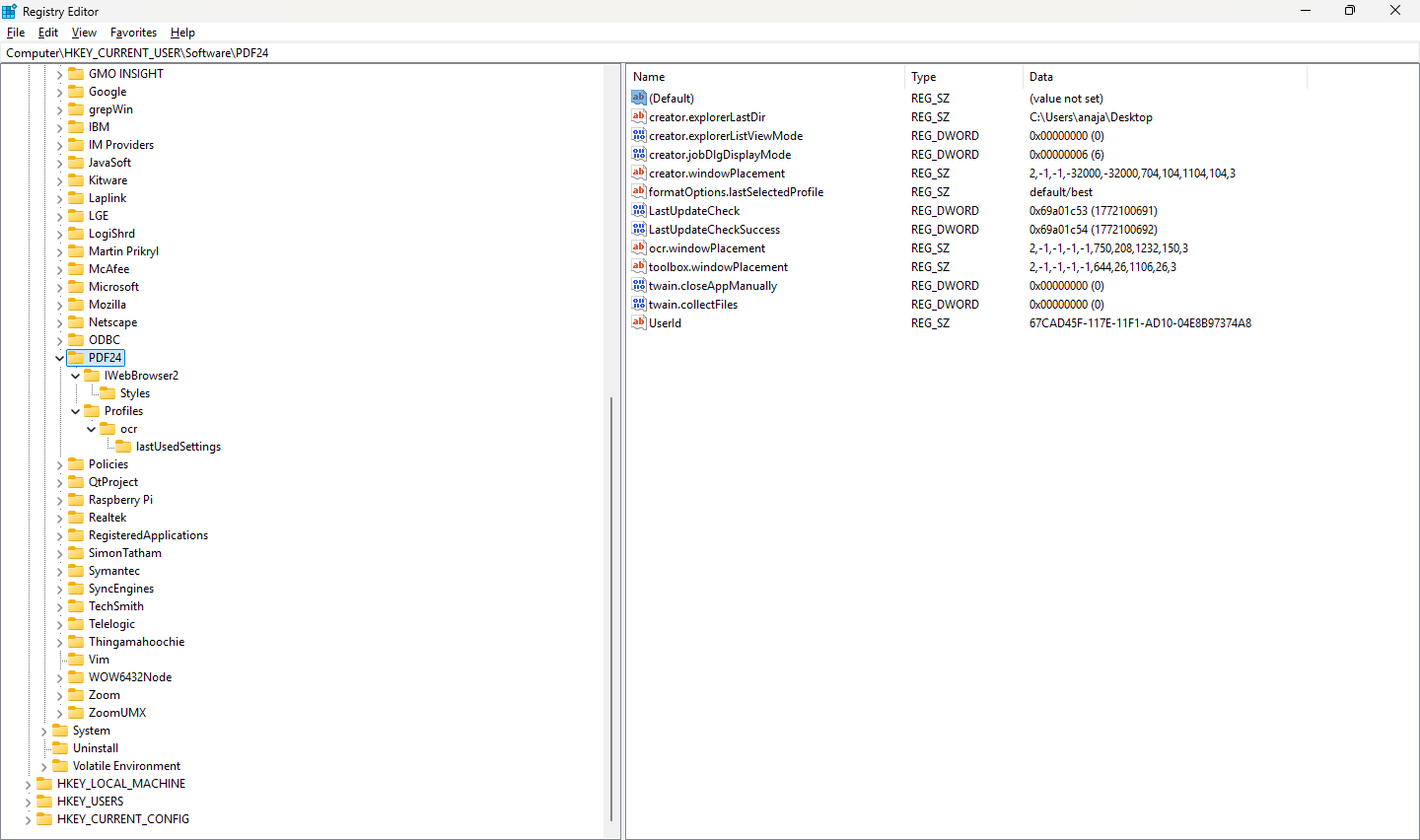 2026-02-26 at 10:29 #64237anajandParticipant
It looks like I cannot share my screenshot, here is a link:
https://drive.google.com/file/d/17lmW4N97Fr1AmSMyjJu1g1N-qNRd4PON/view?usp=sharing2026-02-26 at 10:32 #64238Stefan ZieglerKeymasterPlease send screenshots to forum@pdf24.org so that I can see your UI.
2026-02-26 at 10:46 #64239anajandParticipantDone! Thank you
2026-06-01 at 16:20 #64344pingognosisParticipantI have the same problem: access the PDF impression assistant - either directly from the launcher or from within Word print function - and the whole program just closes down.
I see no solution suggested here, since 2026-02-26...
2026-10-30 at 08:21 #64817PDF24 SupportModeratorHello,
we do not know the cause of this crash yet. It only happens on some computers, so we need data from an affected computer to find it.
- Please first update to the current version and check whether the crash still happens: https://tools.pdf24.org/en/creator
- If it still crashes, please send the following to forum@pdf24.org.
- your PDF24 version and Windows version,
- an export of the registry key
HKEY_CURRENT_USER\Software\PDF24(in regedit: right-click the key > Export), - if Windows has logged the crash: in the Event Viewer under Windows Logs > Application, the entry "Application Error" for
pdf24-Assistant.exe(a screenshot or the text of the entry).
If you would like to narrow it down yourself: the steps in our answer above (renaming the values that start with
assistant.one by one) show whether a single setting causes the crash. -
AuthorPosts
- You must be logged in to reply to this topic.