From paper to a searchable PDF is quicker with version 11.35.0:
- Scanners with a WIA driver: Scanners with a WIA driver, also network scanners that Windows set up by itself, appear in "Select source" in the new group "WIA". Scanning uses the scan dialog of Windows, with flatbed or feeder, resolution and preview. This way scanners that only have a WIA driver can be used too.
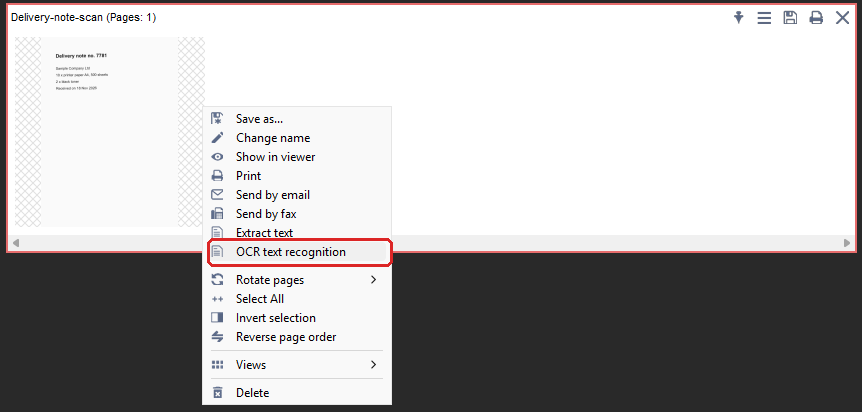
- Text recognition straight from the Creator: The menu of a document in the Creator (right-click) has the item "OCR text recognition". A fresh scan goes to PDF24 OCR without saving it first and becomes searchable.
- "Collect files" explained: When scanning, a hint says what the check box does: all scanned pages become one document, without it each page becomes a document of its own.
- Faster PDF24 OCR: Several files are recognized at the same time on as many processor cores as your computer offers (half the logical processors, at least 2, at most 8). "Deskew pages" also straightens scans made of several image strips.
- Clear messages: If PDF24 OCR cannot load the list of languages, the message names the cause and points to the firewall, proxy and the local installation of the language files. Pages that "Deskew pages" or "Remove background" could not process are named with the reason.
Screenshots on several monitors: "Screen" and "Working area" now capture the monitor under the mouse pointer instead of always the main monitor. With several monitors you get the new mode "All screens", in the dialog and in the menu of the PDF24 icon. Also, "Active window" no longer captures a strip of the background.