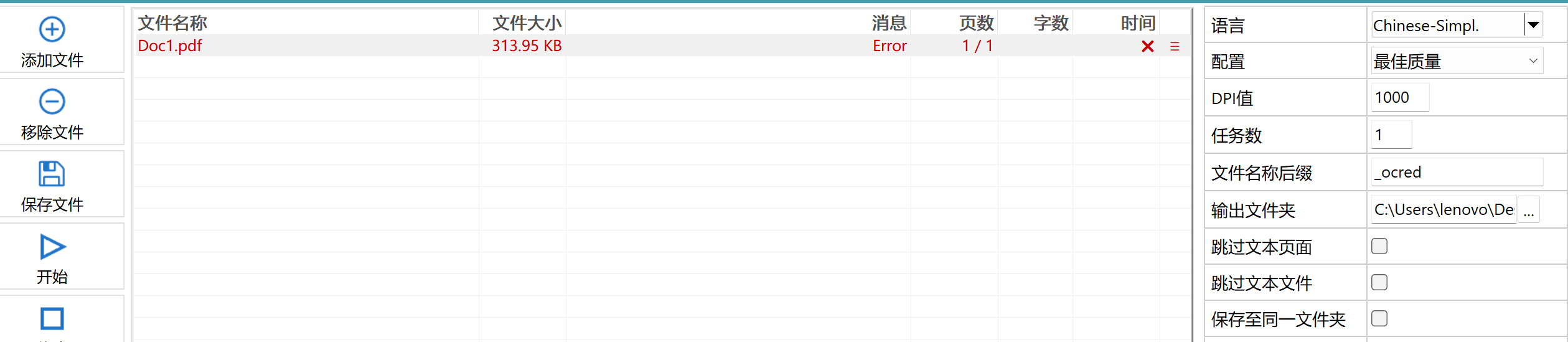
I think it's not the detection itself. Please right-Click the line, it there an menu entry to show the error message? You can also send me a test file to forum@pdf24.org so that I can have a look to see what happens internally.
sorry for the late reply. Chinese text is only recognized if Chinese is selected as the language. In the PDF24 OCR tool, select "Chinese-Simpl." or "Chinese-Trad." under "Language"; with "English" alone, Chinese characters are not recognized. The language file is downloaded once, the first time you use the language.
Please also update to the current version. If "Type of models" is set to "BEST", the recognition of Chinese currently stops with an error about a missing file chi_sim_vert.traineddata or chi_tra_vert.traineddata. The fix will come with the next version; until then, please keep "Default" there.
If Chinese is selected and the text is still not recognized, so that we can reproduce this, please send us a file where it happens with this button: