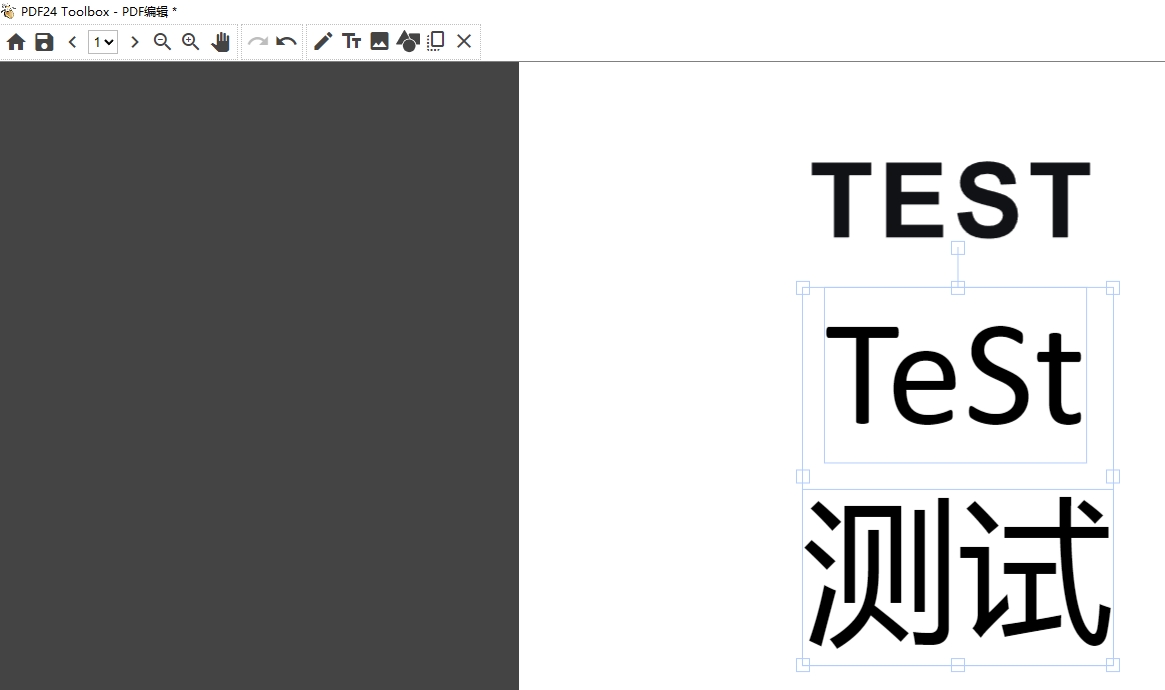
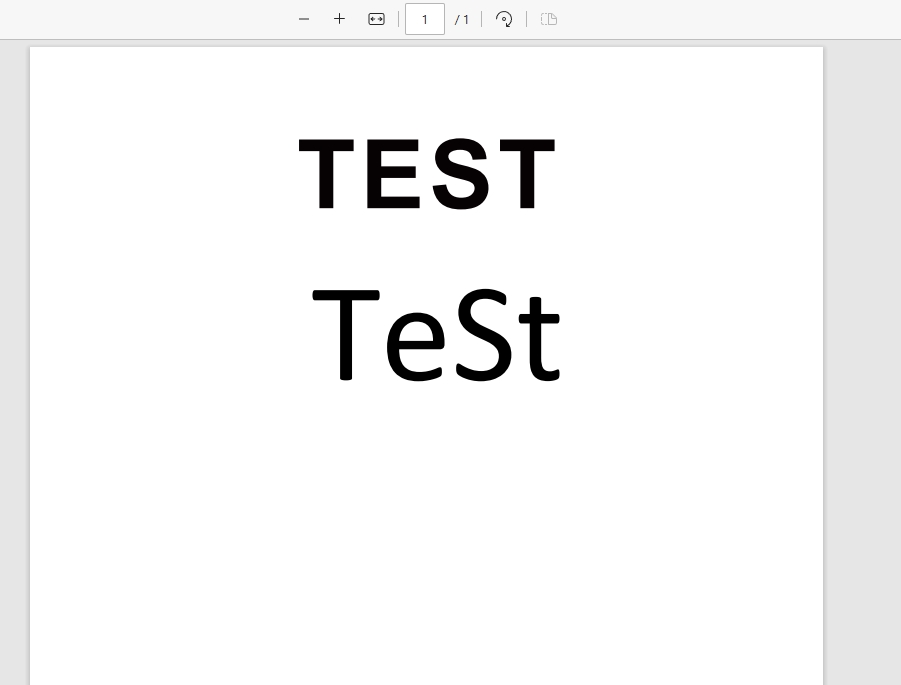
Hi. I try to typing in some Chinese and save it but it seems not working when i open this saved PDF. btw It's laster version. And same problem happened in system: Windows7 Windows10. In addition, It shows wrong words in old version with typing in Chinese. I think it maybe a coding problem like UTF-8 or Unicode error with Chinese. Thank you PDF24.
Thanks. It works. but not all fonts supported Chinese(simple & tradition) are avaliable even it shows in PDF24 .And some times saving process stuck after editing. It's good if there is notice for unsupport language,like showing rectangles.
sorry for the late reply, and thank you for the details.
The font list of "Edit PDF" in the PDF24 Toolbox only offers fonts in TTF format. Most Chinese fonts that come with Windows (e.g. Microsoft YaHei, SimSun, Microsoft JhengHei) are TTC files and are not offered yet. "SimSun-ExtB" in the list contains only rare additional characters, not the common ones.
While you type, Windows shows the Chinese characters with a substitute font, but the saved PDF uses only the selected font. Characters that this font does not contain are missing.
That such characters should come from a suitable system font, or at least a note should be shown, is on our to-do list. With the next version, the Toolbox already shows a note when you choose a font whose license does not allow embedding it in PDF files; until now another font was used silently.
Saving has been reworked since version 11.25.0 and now runs with progress messages. If saving still hangs with the current version, please send us a file where it happens with this button: