Hello,
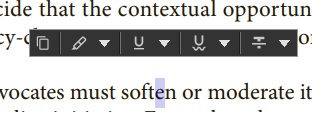
which tool or program do you use when this bar appears? Please send us the link of the page, or tell us whether the PDF is open in the browser's own PDF viewer or in the PDF24 Reader. Our online tools for annotating had no function for highlighting text at the time of your question.
Since recently, "Annotate PDF" (https://tools.pdf24.org/en/annotate-pdf) can highlight text. The small bar that appears next to a highlight there has a fixed size. Zooming into the PDF does not change it, but the zoom of your browser does: press Ctrl and + to enlarge the whole page including the bar, Ctrl and 0 resets it. A setting for the size of this bar does not exist yet. Thank you for the suggestion, we will add it to our list.