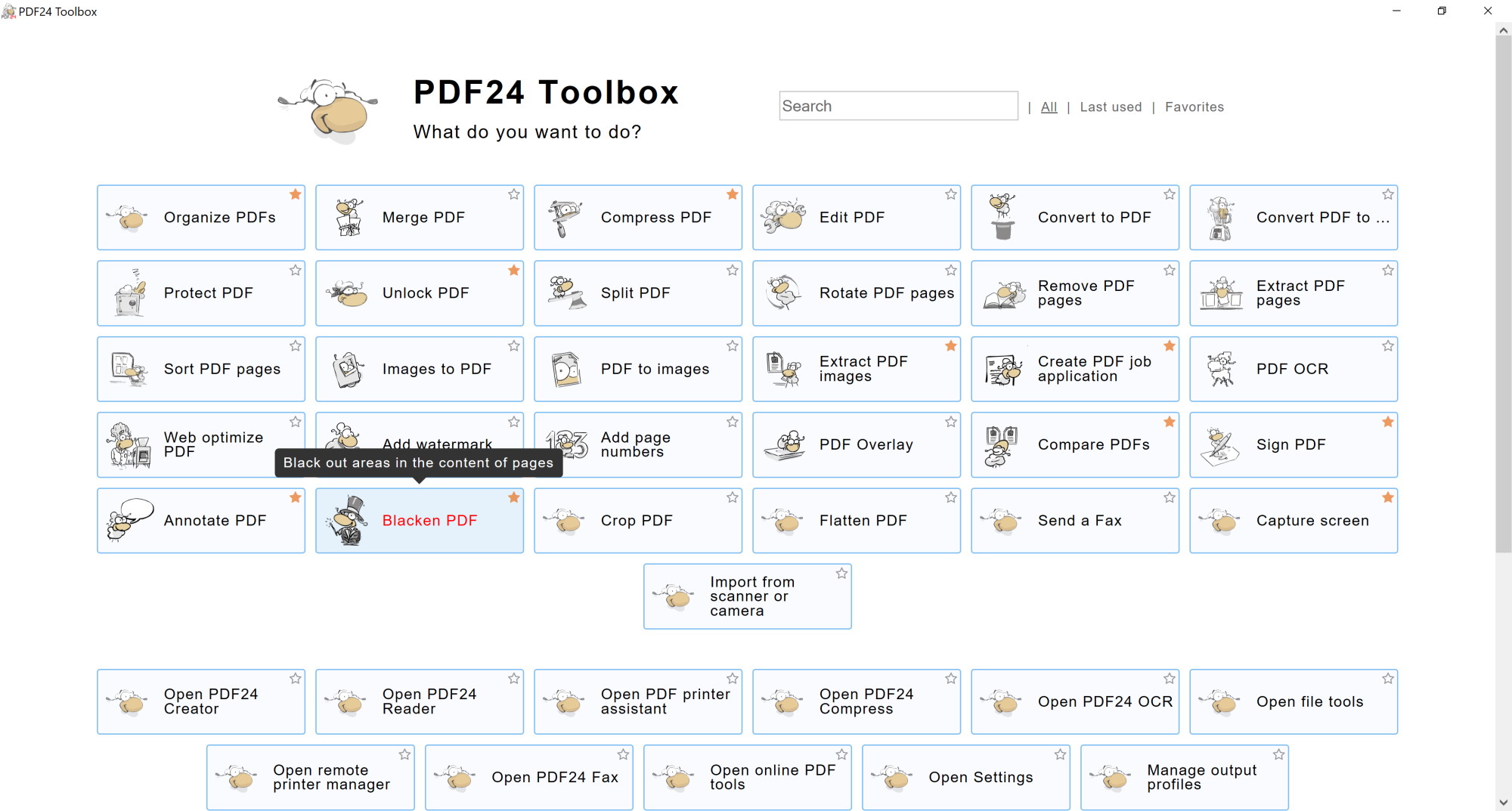
I'm using the free version of PDF24. It's a great product. I'm interested in some features that may be available in the pay-for version. Is there a redact feature in the pay-for version. I don't see a redact feature in the tools grid.
This is the tools grid I'm seeing.
It showed the image here but it says an error occurred, so I had to delete it.
Hi, I think you mean our blacken pdf feature? A few days ago I received an email telling me to rename the tool "blacken pdf" to "pdf redact" as this term is more common. Personally, I am unsure about this. Is our current "blacken pdf" tool what you are looking for?
Yes, but you have to use the current version 10.X.X. This blacken/redact tool is available in the toolbox. So, install the latest version and double click the PDF24 desktop icon to open the toolbox. Then you will see the black sheep.
sorry that your last question was not answered. In the PDF24 Toolbox, click the tile "Blacken PDF". You can also type "redact" into the search field at the top of the Toolbox.
Then open your PDF, cover the areas with "Add shape" > "Rectangle" (or draw over them), click the disk button and save the result. Every page with a blackened area is saved as an image, so the covered content is really removed from the file. The tool is free.