Hello,
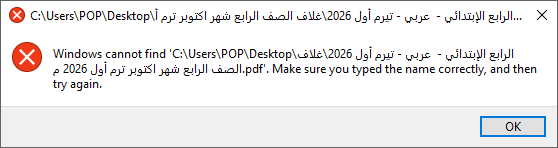
thank you, andrebrazil. The message in the screenshot comes from Windows: it cannot find the file under this path, for example because the file was moved, renamed or deleted, or because the Desktop folder is synchronised with OneDrive.
Please try this:
- Open the PDF24 Reader from the Start menu.
- Click "Open" and select the file on the Desktop.
If the file opens this way, the path that was used before was no longer valid. If the PDF24 Reader does not open any PDF file at all, please tell us your PDF24 version and how you open the files (double-click, recently opened list, another program), and we will look into it.