Home › Forums › PDF24 Creator › Copied text from PDF24 documents turns into garbage symbols
- This topic has 9 replies, 6 voices, and was last updated 8 hours, 29 minutes ago by PDF24 Support.
-
AuthorPosts
-
2010-12-08 at 11:16 #5956lucianoParticipant
I need Help !
I'm using PDF24 since many years and I was satisfied until today when I need to copy and paste some text from
a PDF24 document to NotePad and I'm surprised to see that it is impossible : the result is a bulk of garbage symbols!
Also web Pages printed with PDF24 have the same problem
I need your support to solve this problem (I'm working in Win 7)
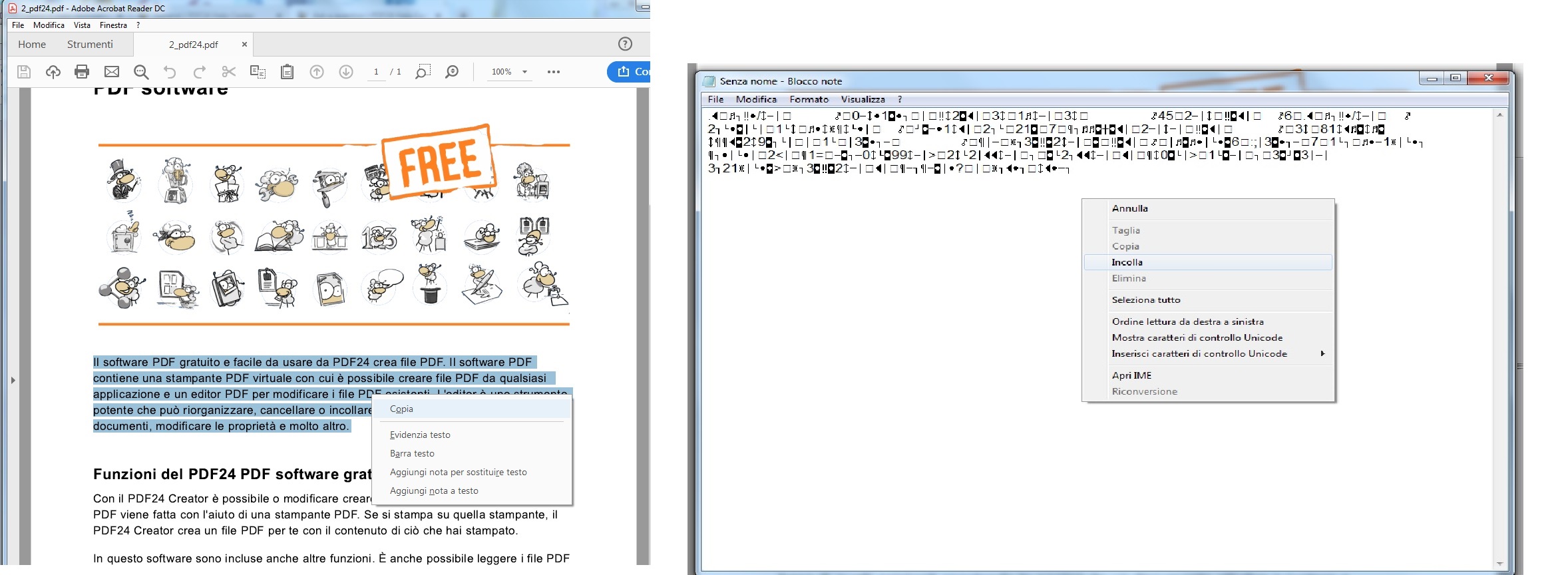 2010-12-08 at 11:16 #546heikoscharnbergMember
When I cut & paste text from a PDF24 created pdf file it looks like this:
!
"#$
%
$😥
2010-12-08 at 18:25 #1208pdf24MemberIs it the case in every created PDF file or onbly in one or two special files?
2010-12-08 at 23:30 #1207heikoscharnbergMemberThe bug is with every created PDF file using PDF24 Editor & Assistant. Cut & paste works fine from PDFs created using the online Document to PDF utility.
I will email you two pdf files of the same web page, one created with "Document to PDF" & the other with Assistant.
There's also some graphics missing from the Assistant version of the web page. Is that to do with a setting?
2010-12-09 at 08:55 #1209pdf24MemberHm i don't have that problem. Currently i can't reproduce the problem. DO you have made some special settings?
2019-04-05 at 06:19 #5959Stefan ZieglerKeymasterHmm, I've tested this again a couple of minutes ago, but I could not reproduce this issue. What version of the pdf24 creator do you use and what version of the reader? You could also try an other reader to ensure, that this is not a problem of the reader.
2019-04-06 at 15:08 #64460lucianoParticipantI have re-installed Pdf24 Creator 8.8.2 and pdf files are readed using AcrobatReaderDC. I think that this problem was due to Google Chrome I was using. Now I am using Firefox and that problem is solved (I can copy/paste the pdf text and it is readable) BUT I FIND ANOTHER PROBLEM !:
WHEN I PRINT A WEB PAGE WITH PDF24 ,IN THE RESULTING PDF ALL THE LINKS ARE LOST !! so one problem solved but another rised (for the law of compensation)2019-04-06 at 15:13 #64461lucianoParticipantI find that probably the problem was due to Google Chrome. I have now changed Browser to Firefox and pdf printed with PDF24 can be copied/pasted and are readable. But I find a new Problem : All the Links in the PDF are LOST !
2023-03-11 at 17:56 #63125drscratchParticipantHi there,
has there been a solution to this problem?I have exactly the same issue - and "Use Security settings" is un-ticked.
This issue does exist for long at my PC and also with my previous PC (both Windows).
It also did not disappear after PDF24 Update. Currently using Version 11.9.1.2026-10-31 at 21:32 #65633PDF24 SupportModeratorHello,
the question from 2010 concerns a very old version. For the case from 2023: whether the text can be copied depends on the program you print from. Chrome-based browsers such as Chrome and Edge pass the text to the printer without the information which character each letter stands for. The PDF looks right, but copying or searching only gives garbage characters. This also affects other PDF printers. We are looking into it, it is on our to-do list. Until then, "Save as PDF" in the print dialog of the browser keeps the text.
If it happens with other programs too, please tell us which program you print from. So that we can reproduce this, please send us a file where it happens with this button:
-
AuthorPosts
- You must be logged in to reply to this topic.