Hello,
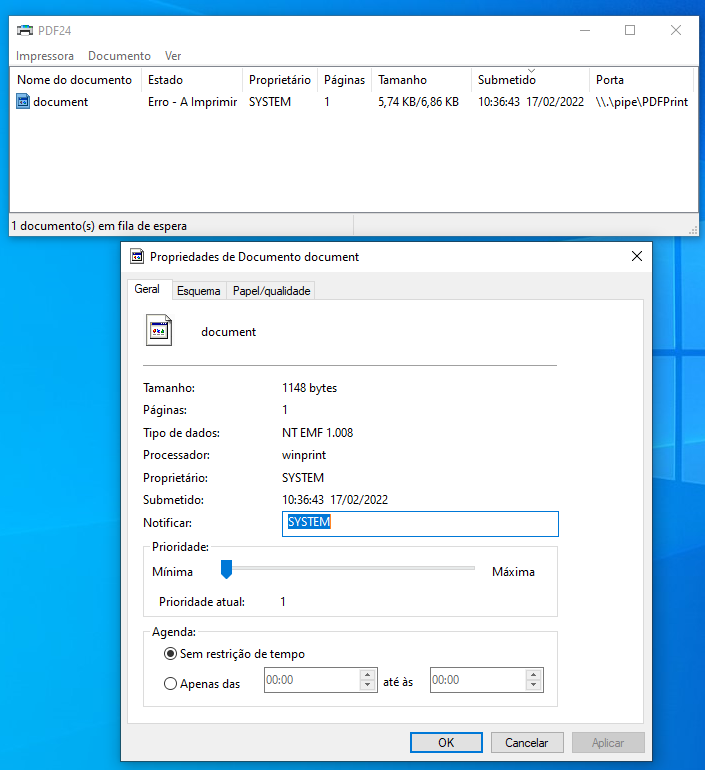
your screenshot shows the reason: the print job belongs to the user SYSTEM. The accounting application prints from a background service, not as a signed-in user. Normally PDF24 hands every print job to the PDF24 program of the user who printed it. For the SYSTEM account there is no such user, so the job ends with an error.
For this case the classic PDF printer (port \\.\pipe\PDFPrint, as in your screenshot) can save the PDF itself with the PDF24 service:
- Open the PDF24 settings with administrator rights and go to PDF Printer.
- Under PDF Printer Tool, choose Automatically save documents after printed.
- Under Auto Save, set the Output Directory. A local folder is the simplest choice.
- Tick Save with the PDF24 Windows Service and leave Use a file name chooser before saving the file unticked, because no window can be shown in this case.
- Restart Windows. With the current version the setting only takes effect after the PDF24 service has been restarted. With the next version it takes effect within 30 seconds.
After that, PDF24 saves the print jobs of the application to this folder without asking.