Check for updates fails: update page blocked by McAfee

Home › Forums › PDF24 Creator › Check for updates fails: update page blocked by McAfee

Viewing 4 posts - 1 through 4 (of 4 total)
  • Author
    Posts
  • #62855
    bill217
    Participant

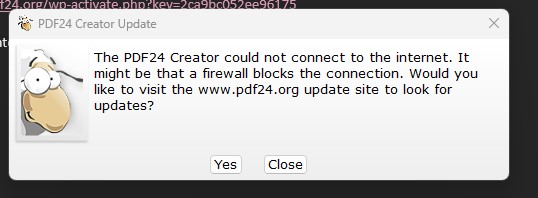
    When I try to open 'check for updates' I get a message box below.

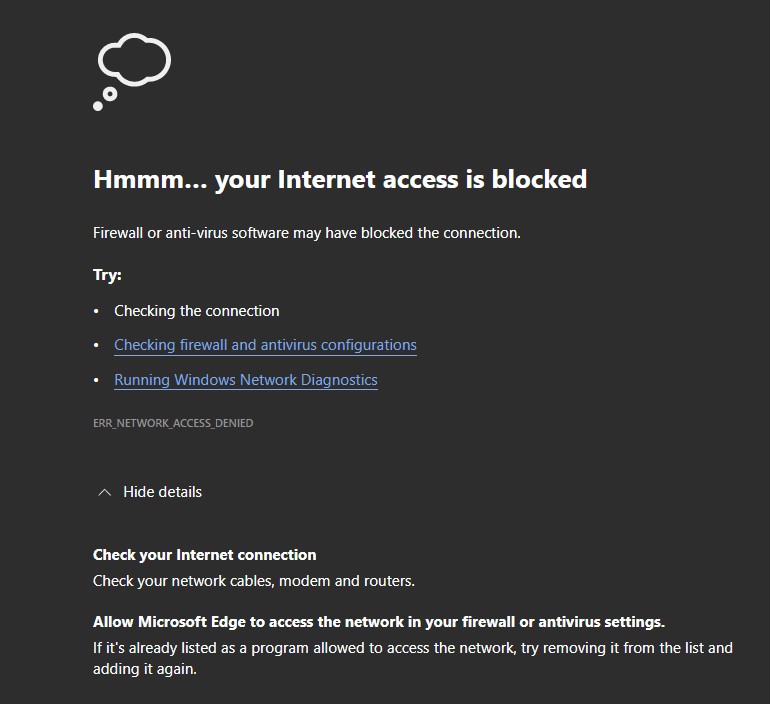
    When I click on Yes I get following:

    What is happening, is your program safe?

    Can you advise what to do now?

    #62856
    Stefan Ziegler
    Keymaster

    Can you open http://www.pdf24.org or tools.pdf24.org in your bowser?

    #64505
    bill217
    Participant

    I can open both in Edge browser.

    #65858
    PDF24 Support
    Moderator

    Hello,

    sorry for the late reply. PDF24 Creator is safe. The message only means that the update check of PDF24 could not connect to our update server. The second screenshot (ERR_NETWORK_ACCESS_DENIED) shows that this connection was blocked on your computer. Since you can open http://www.pdf24.org in Edge, the website itself is reachable; most likely your security software (McAfee) blocks the connection of the update check. Please check whether McAfee blocks PDF24 and allow it there.

    You can also update without the update check: download the current version and install it over the existing one: https://tools.pdf24.org/en/creator
Viewing 4 posts - 1 through 4 (of 4 total)
  • You must be logged in to reply to this topic.